
Inspect Real Estate, now part of Reapit, is where many property managers book inspections, handle applications and keep track of keys. It already knows every listing and every inspection time. Dripflow puts that information to work on social media.
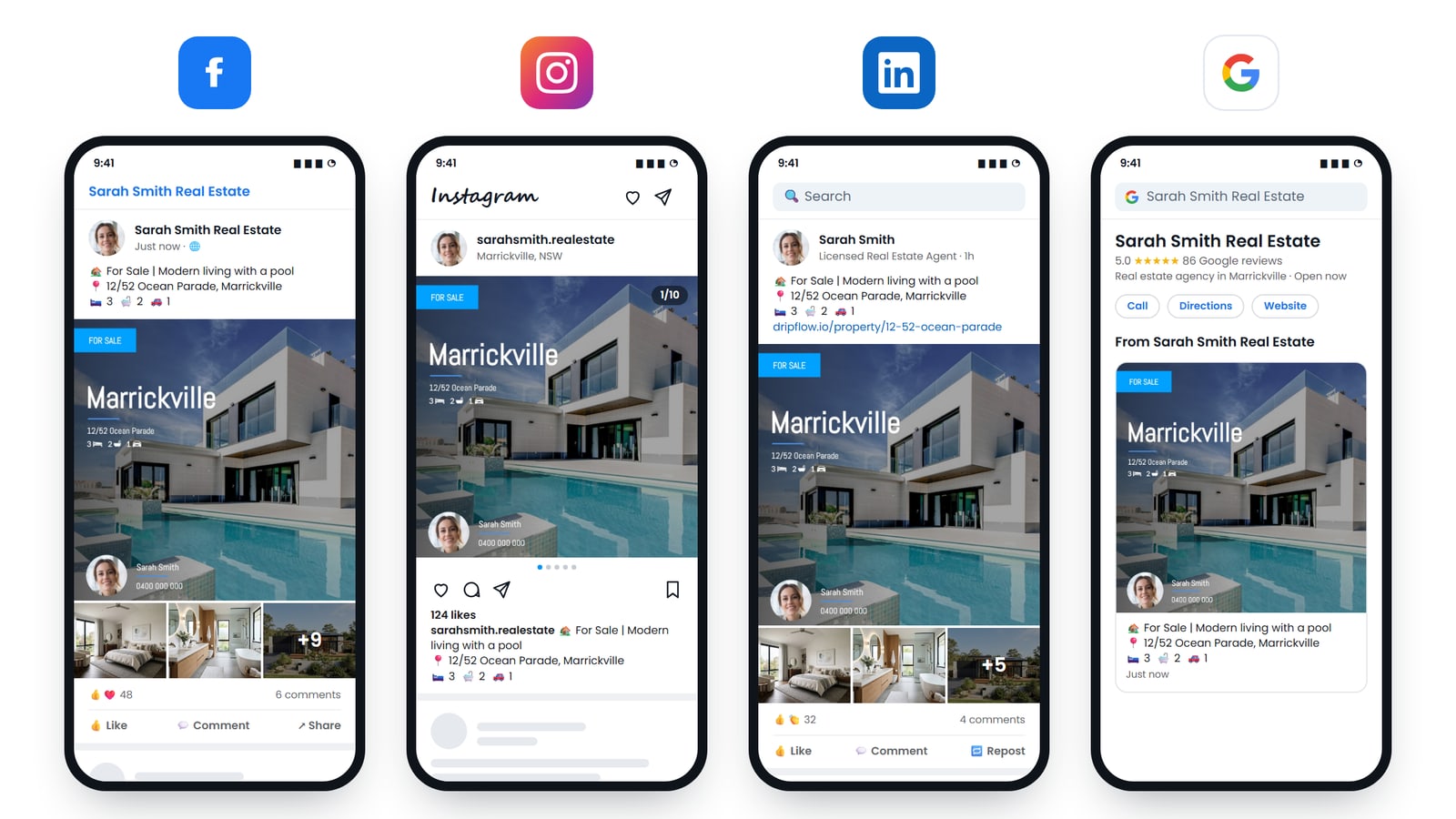
Connect the two, and each listing is turned into branded graphics and a video, then posted to your Facebook, Instagram, LinkedIn and Google Business Profile. Inspection graphics are made from the same times you set up for bookings.
What Dripflow does with an Inspect Real Estate listing
As soon as a listing arrives, Dripflow builds everything it needs to post it:
- Listing graphics in your branding, sized for the feed and for stories: For Lease and Leased for rentals, Just Listed, Under Offer and Sold for sales.
- Inspection graphics from the inspection times on the listing, so prospective tenants and buyers know when to come.
- A listing video made from the property photos, with music.
- Posts to Facebook, Instagram, LinkedIn and Google Business Profile on the schedule you choose.
- Automatic boosting, if you want a paid push on top of the organic post.
More people at every inspection
An inspection only works if people turn up. Portals reach people who are already searching, but plenty of future tenants and buyers are scrolling Facebook and Instagram instead. An inspection graphic in their feed, with the address and the time, is a simple prompt to come along.
Because the times come straight from your listing, there is nothing to retype and no risk of posting the wrong slot.
How to connect Inspect Real Estate to Dripflow
- Create a Dripflow account. It takes about five minutes.
- In the setup wizard, choose Inspect Real Estate as your CRM.
- Dripflow emails Inspect Real Estate’s team with your Dripflow agent ID and asks them to switch on a listing feed to Dripflow. You do not need to fill in anything technical.
- Connect your Facebook, Instagram, LinkedIn and Google accounts in Dripflow, and pick your graphic and video templates.
- Once the feed is on, your listings appear in Dripflow within minutes and are posted on your schedule.
If you need to chase the setup, contact Inspect Real Estate support and quote your Dripflow agent ID. You can copy it from My Account in Dripflow.
Frequently asked questions
Does it work for sales as well as rentals?
Yes. Rentals are posted with For Lease and Leased graphics, and sales with Just Listed, Under Offer and Sold.
Do I have to post each listing myself?
No. Once the feed is on, Dripflow posts each listing for you. You choose which post types go out and how often in Dripflow.
Will Dripflow change my inspection bookings?
No. Dripflow only receives your listings and their inspection times. Bookings, applications and reminders stay in Inspect Real Estate, exactly as before.
Can I change how the graphics look?
Yes. You pick from Dripflow’s graphic and video templates, and they use your colours, logo and photo. You can switch templates at any time.
We use a different CRM. Does Dripflow work with it?
Dripflow connects to most Australian real estate CRMs, including PropertyMe and Grow CRM, MultiArray and ReNet. See all our CRM integration posts.
How much does it cost?
Plans start from free, and the Associate plan comes with a 14-day free trial. See the pricing page for what each plan includes.