
PropertyMe now covers both sides of an Australian agency. Property managers run the rent roll in PropertyMe, and sales agents work in Grow CRM, the sales CRM PropertyMe took over when it acquired Phoenix. Both already send your listings to the portals. Dripflow adds social media to that list.
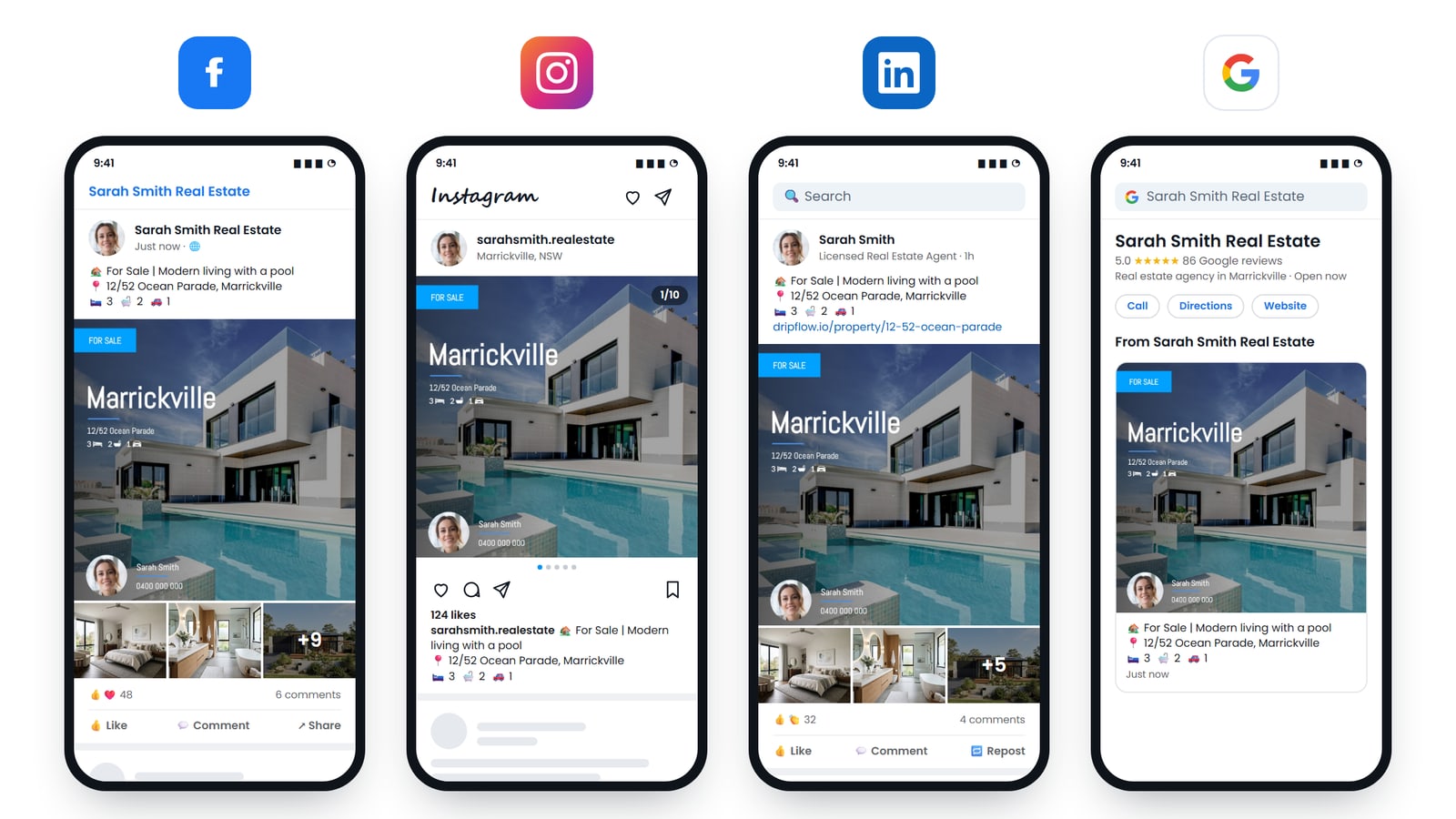
Connect either one to Dripflow once, and every listing you publish is turned into branded graphics and a video, then posted to your Facebook, Instagram, LinkedIn and Google Business Profile. No logging in to Canva, no copying photos across, no writing the same caption four times.
What Dripflow does with your listings
As soon as a listing arrives, Dripflow builds everything it needs to post it:
- Listing graphics in your branding, sized for the feed and for stories. Rentals get For Lease and Leased graphics. Sales get Just Listed, Under Offer and Sold.
- A listing video made from the property photos, with music.
- Open home and inspection graphics from the times on the listing, so buyers and tenants know when to turn up.
- A property website for the listing, with an enquiry form.
- Posts to Facebook, Instagram, LinkedIn and Google Business Profile on the schedule you choose.
- Automatic boosting, if you want a paid push on top of the organic post.
Why post rentals to social media, not just sales?
Portals are where tenants search, but social media is where landlords and future tenants see you without searching. Every rental you post shows that your office is busy, and it keeps your page active between sales listings. For many agencies, the rent roll is the steadiest source of content they have.
The problem has always been time. A property manager with a full rent roll is not going to design a graphic for every vacancy. Automating it removes the choice between “post it properly” and “do not post it at all”.
How to connect PropertyMe or Grow CRM to Dripflow
- Create a Dripflow account. It takes about five minutes.
- In the setup wizard, choose your CRM:
- Property Me if your listings are in PropertyMe.
- Phoenix Software if your listings are in Grow CRM. Grow was called Phoenix before PropertyMe bought it, and Dripflow still lists it under that name.
- Dripflow emails the support team with your Dripflow agent ID and asks them to switch on a listing feed to Dripflow. You do not need to fill in anything technical.
- Connect your Facebook, Instagram, LinkedIn and Google accounts in Dripflow, and pick your graphic and video templates.
- Once the feed is on, publish listings as you normally would. They appear in Dripflow within minutes and are posted on your schedule.
PropertyMe’s support team sets up the feed for both PropertyMe and Grow CRM. If you have not heard back within a few business days, contact them and quote your Dripflow agent ID, which you can copy from My Account in Dripflow.
Changes you make to a listing, such as new photos or a corrected address, flow through to Dripflow automatically.
What you need
- PropertyMe with the Listings feature, which PropertyMe includes in its Standard plan, or Grow CRM.
- A Facebook page for your agency or for yourself. Instagram, LinkedIn and Google Business Profile are optional but recommended.
- A Dripflow account.
Frequently asked questions
Is Grow CRM the same as Phoenix?
Yes. Phoenix was acquired by PropertyMe and renamed Grow CRM. If you connected Phoenix to Dripflow before the rename, your feed keeps working and there is nothing to change.
Our property managers use PropertyMe and our sales team uses Grow CRM. Can we connect both?
Yes. Each Dripflow account connects to one CRM, so the property management team connects to PropertyMe and the sales agents connect to Grow CRM, each with their own Dripflow account. Get in touch and we will help you set up the office.
Do I have to post each listing myself?
No. Once the feed is on, publishing the listing is the only step. You choose which post types go out and how often in Dripflow, and it does the rest.
Can I change how the graphics look?
Yes. You pick from Dripflow’s graphic and video templates, and they use your colours, logo and photo. You can switch templates at any time.
We use a different CRM. Does Dripflow work with it?
Dripflow connects to most Australian real estate CRMs, including Rex, AgentBox and VaultRE. See all our CRM integration posts.
How much does it cost?
Plans start from free, and the Associate plan comes with a 14-day free trial. See the pricing page for what each plan includes.